

Clippy
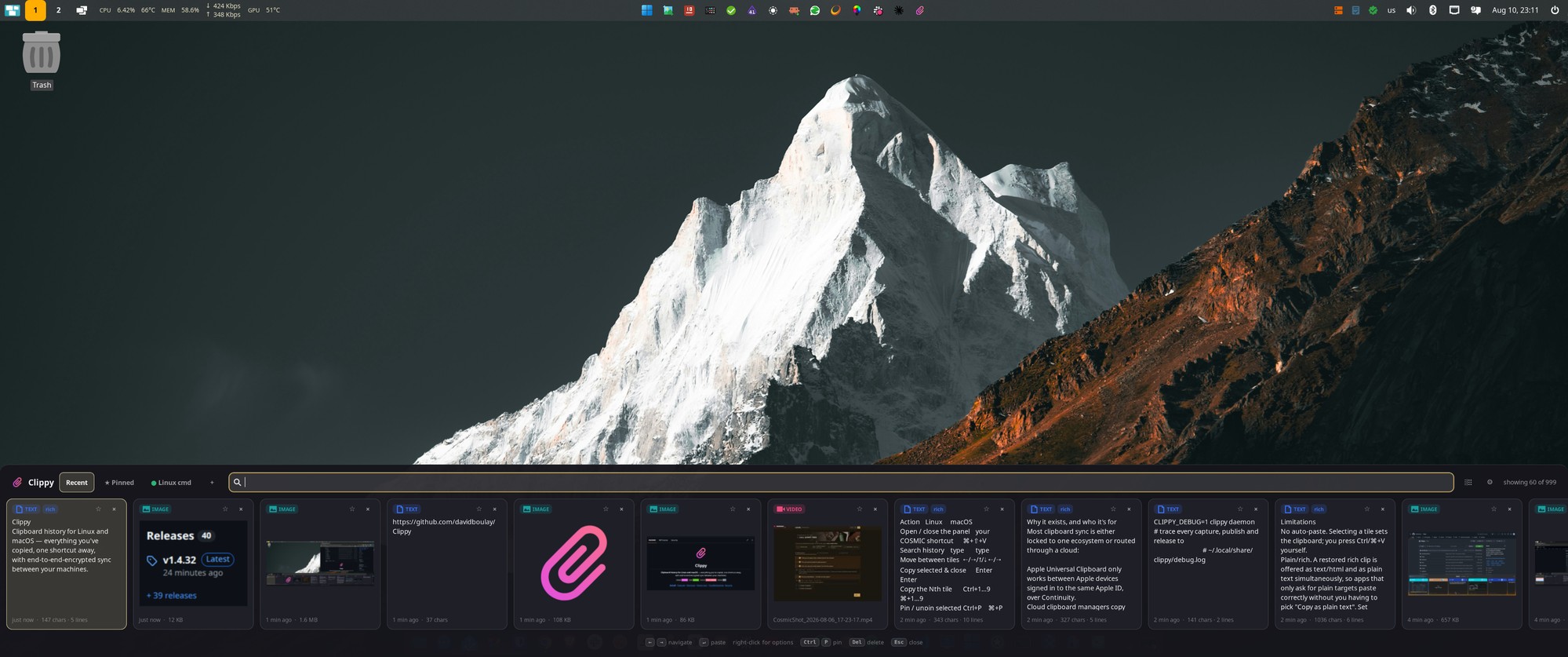
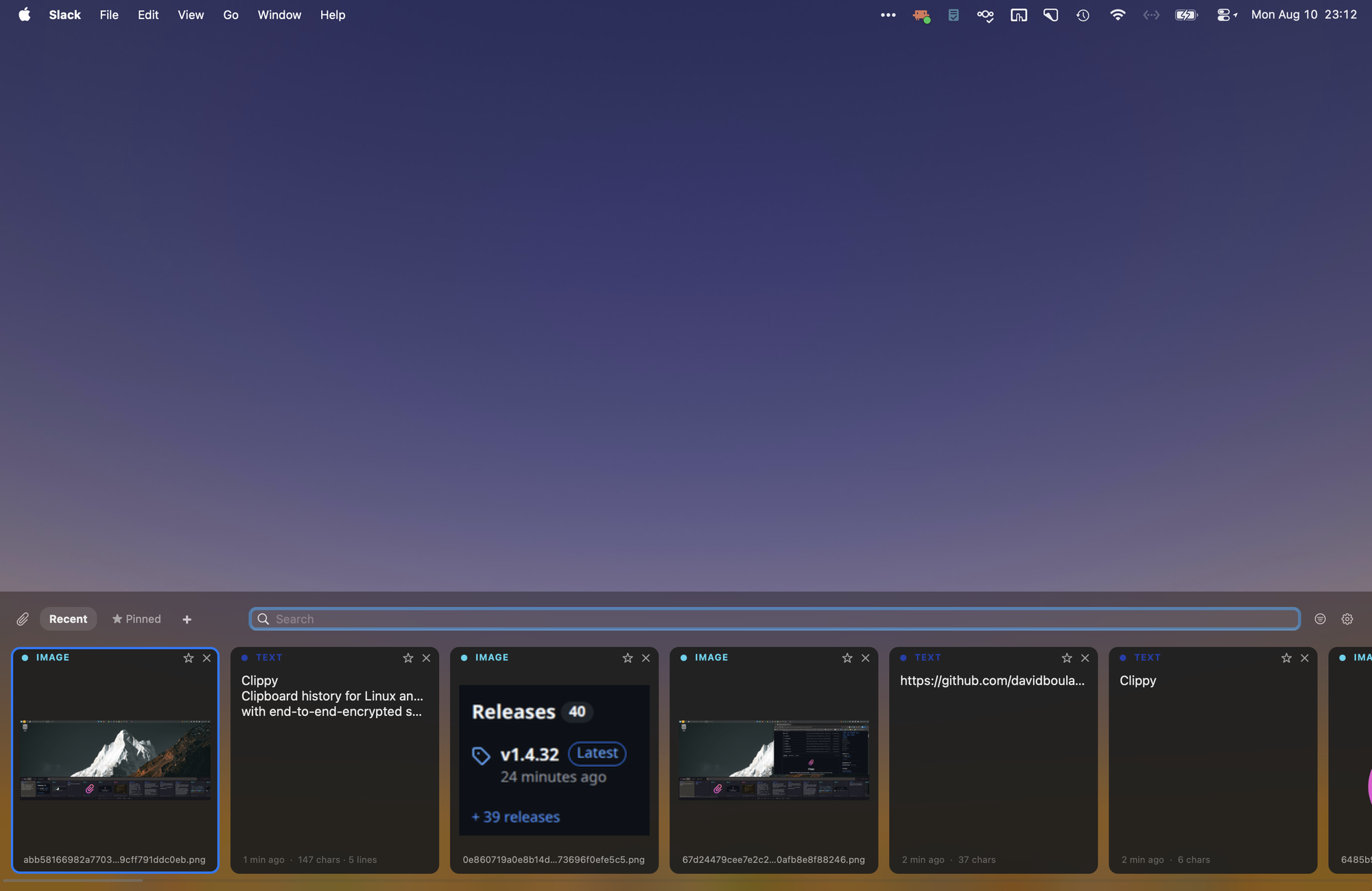
A clipboard-history panel for Linux and macOS. Press a global shortcut and a strip of tiles slides up showing everything you've recently copied — click one to load it back onto the clipboard.
About
Clipboard managers tend to be either a cramped tray menu or a full window that steals focus. Clippy is neither: a strip of visual tiles summoned by a global shortcut, dismissed by clicking away, showing real previews of what you copied — inline images, thumbnails for videos, PDFs and documents, type badges for the rest.
It stays out of your way as a paperclip in the menu bar or system tray, and everything is stored locally in SQLite. The one thing that leaves your machine — only if you opt in — is end-to-end-encrypted LAN sync, so your clipboard follows you between a Linux desktop and a Mac.
On Linux, Clippy runs on any Wayland compositor that speaks layer-shell and data-control: COSMIC and the wlroots family (Sway, Hyprland, River, Wayfire…) today. KDE Plasma on Wayland implements both protocols and should work too — untested so far. GNOME exposes neither, so it's out for now.
Highlights
- One shortcut, one panel — tiles for recent text, images and files, with keyboard navigation and quick-select
- Pin, search, tabs — pinned clips survive pruning; custom colored tabs organize what you keep
- Type filters — show only text, images, video, PDFs, archives… with per-type badges
- Plain vs. rich paste — keep formatting or strip it, per paste
- Encrypted LAN sync — pair devices and share text, images and any file across OSes
- Local-only storage — SQLite under your data dir; nothing leaves the machine unless you pair it
Install
# Ubuntu / Pop!_OS / Debian — APT repository
curl -fsSL https://davidboulay.github.io/Clippy/install.sh | sudo bash
macOS builds and other options are on the releases page.
More apps

CosmicShot
Capture, annotate, share — CleanShot-style

Solstice Calendar
A fast, native-feeling calendar for Linux

Space Control
Hide the mail spaces you never use

CosmicUpdate
Pending updates, right in the panel

TrueNAS Apps Watcher
Your NAS updates, from the desktop

Home Assistant Watcher
Home Assistant updates, in the panel

CosmicDNS
One-click DNS switching from the panel