

TrueNAS Apps Watcher for Omarchy
TrueNAS app updates in your Omarchy bar — catalog upgrades, newer images, and the containers TrueNAS doesn't manage, watched from a bar badge and applied with one click.
About
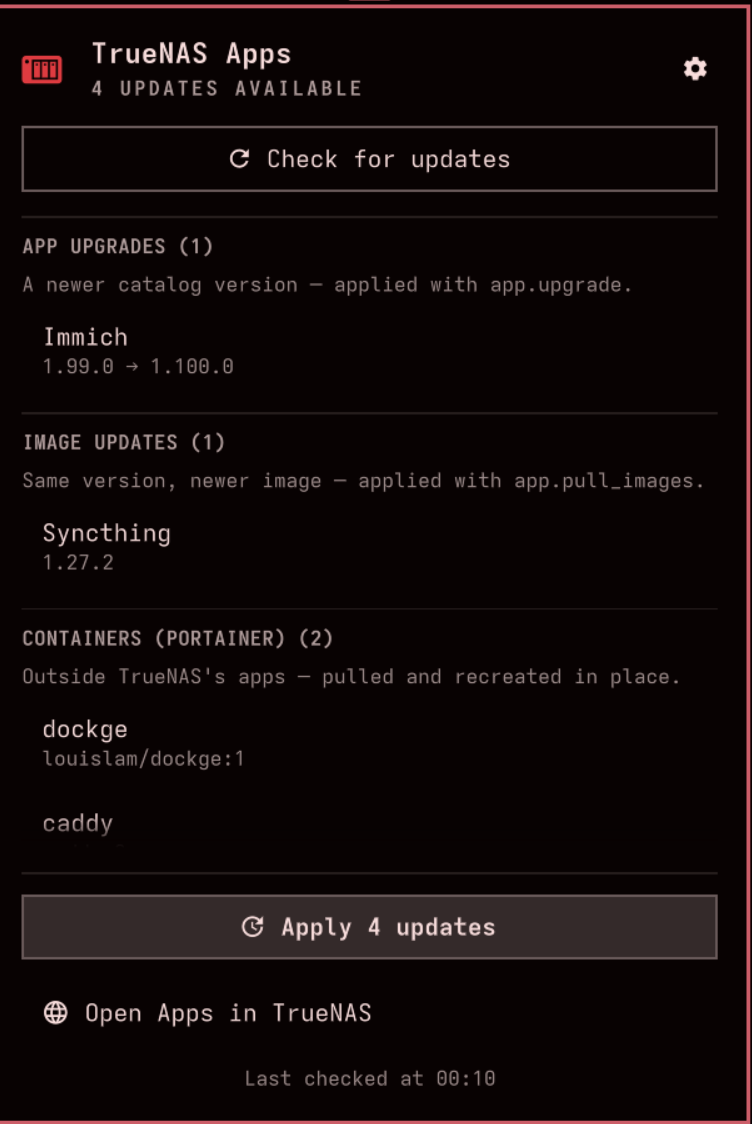
A drive bay lives in your bar. It stays a muted foreground while every app on the NAS is current, and turns the theme's attention colour with a count the moment something has an upgrade waiting. The popup lists everything pending, grouped and versioned — catalog upgrades, image-only updates for apps tracking latest, and optionally the containers TrueNAS doesn't manage, checked through Portainer against their registries the way Watchtower does.
One button applies the lot, one item at a time, with progress read straight from TrueNAS's job queue over its JSON-RPC API — and it rides out a reverse proxy timing out on a long image pull. It also refuses to recreate a container that other containers are pinned to, rather than silently breaking a stack. The Omarchy port of TrueNAS Apps Watcher, which does the same on a COSMIC panel and in the macOS menu bar.
Highlights
- Three update sources — TrueNAS catalog upgrades, newer image digests, and Portainer-managed containers
- Real progress — TrueNAS job percentages and per-layer image pulls, not a spinner
- Survives a reverse proxy — gateway timeouts are read as a dropped connection, and the job is followed to the end
- Won't break a stack — containers others depend on are listed under Needs a stack update, never recreated
- Keys kept out of
shell.json— stored0600in their own config directory, never in a process argument list - Keyboard-first popup —
rcheck,aapply all,oopen in TrueNAS
Install
$ omarchy plugin add https://github.com/davidboulay/omarchy-truenas-apps-watcher.git --enable
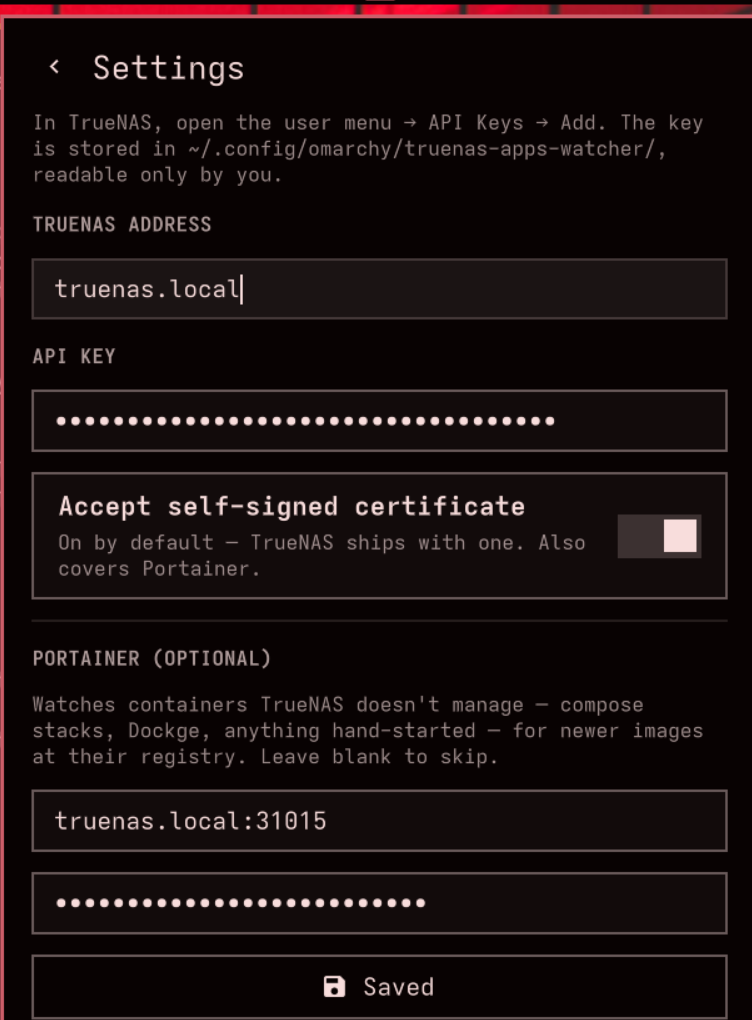
Then click the drive bay → ⚙ Settings and enter your TrueNAS address and API key. Needs TrueNAS SCALE 25.04 or newer.
More apps
VPN Switcher
One bar icon for every VPN you have
 omarchy
Maintainer Inbox
Issues and PRs waiting on you, in the bar
omarchyMulti-Monitor Workspaces
Workspaces 1–9 on every monitor
omarchyScreensaver Lock
Dismiss the screensaver, get the lock screen
omarchyWi-Fi Login Popup
Hotel and airport Wi-Fi sign-in, automatically
 omarchy
Home Assistant Watcher for Omarchy
Home Assistant updates in the Omarchy bar
 more
more
Clippy
Clipboard history in a strip of tiles
 cosmic
CosmicShot
Capture, annotate, share — CleanShot-style
 more
more
Space Control
Hide the mail spaces you never use
 cosmic
CosmicUpdate
Pending updates, right in the panel
 cosmic
TrueNAS Apps Watcher
Your NAS updates, from the desktop
 cosmic
Home Assistant Watcher
Home Assistant updates, in the panel
 cosmic
CosmicDNS
One-click DNS switching from the panel
 more
more
OpenKraken
NZXT Kraken control for Linux
 more
more
Lightspeed X-Series MCP
Ask Claude about your Lightspeed stores