
Wi-Fi Login Popup
Captive-portal login for Omarchy: the sign-in page of hotel, airport, café and other public Wi-Fi opens by itself in a small floating window, and closes once you're online.
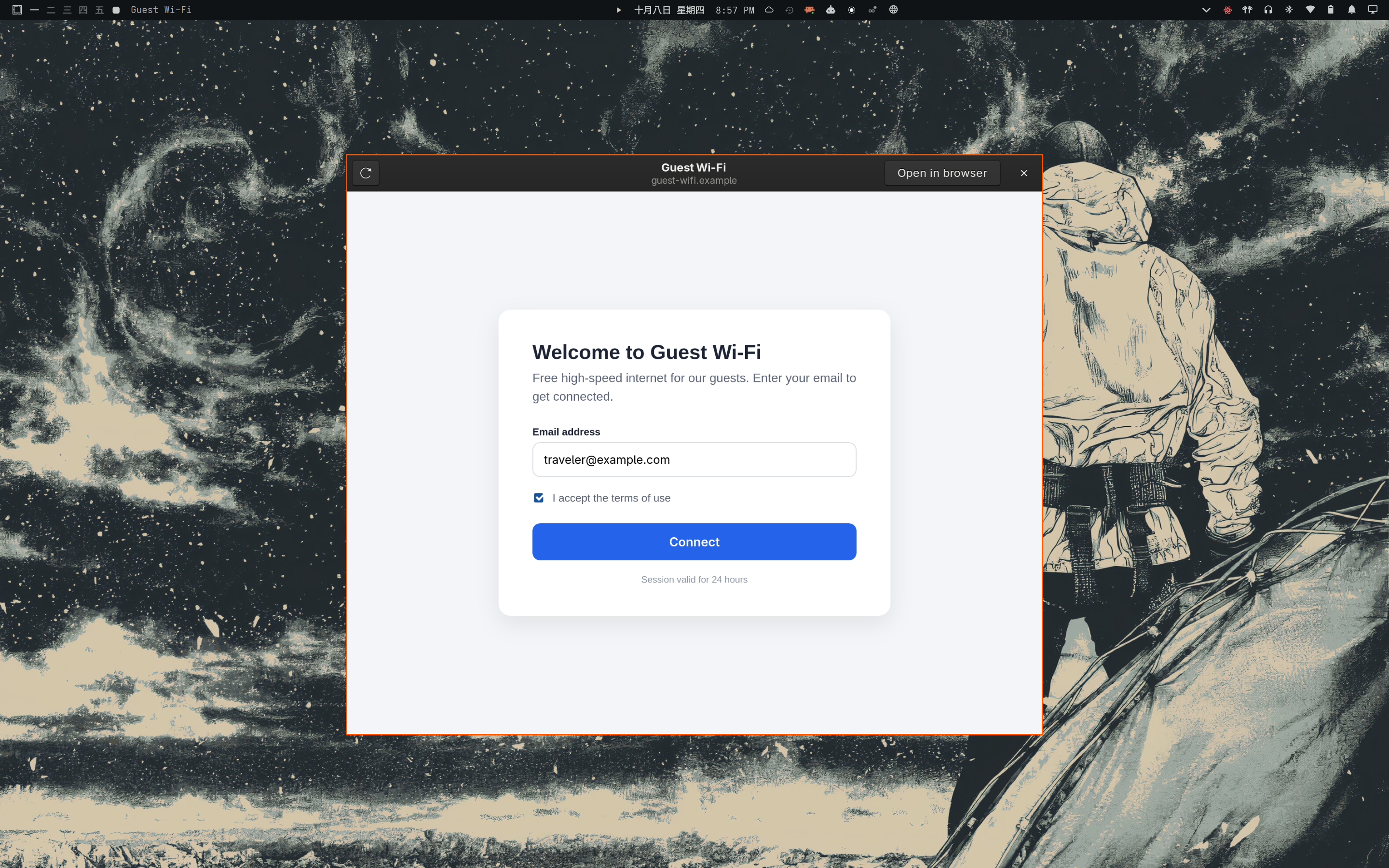
About
macOS, iOS, Windows and GNOME all pop up the “log in to this network” window on their own. Omarchy doesn't. NetworkManager's connectivity check detects the portal, but nothing on the desktop acts on it — so the network just looks broken until you think to open a plain http:// page.
This plugin watches NetworkManager's connectivity state over D-Bus. When it becomes portal, it sends a notification and opens NetworkManager's own check URL in a small WebKitGTK window; the portal intercepts it and redirects to its sign-in page. The window floats via a runtime Hyprland rule (nothing written to your config), keeps no cookies or history, and closes itself once NetworkManager reports full connectivity. It opens once per connection, and falls back to your default browser if the window can't start.
Highlights
- Automatic — event-driven over D-Bus, nothing polled
- Floating, centered window — with Reload and Open in browser buttons
- Closes itself once you're actually online
- Ephemeral — no cookies or history kept, software rendering only
- No root, no config edits — works alongside any network widget, stock Omarchy's included
Install
$ omarchy plugin add https://github.com/davidboulay/omarchy-wifi-login-popup.git
Accept the prompt to enable it. Everything it needs ships with a stock Omarchy 4 install.
More apps
VPN Switcher
One bar icon for every VPN you have
 omarchy
Maintainer Inbox
Issues and PRs waiting on you, in the bar
omarchyMulti-Monitor Workspaces
Workspaces 1–9 on every monitor
omarchyScreensaver Lock
Dismiss the screensaver, get the lock screen
 omarchy
TrueNAS Apps Watcher for Omarchy
TrueNAS app updates in the Omarchy bar
 omarchy
Home Assistant Watcher for Omarchy
Home Assistant updates in the Omarchy bar
 more
more
Clippy
Clipboard history in a strip of tiles
 cosmic
CosmicShot
Capture, annotate, share — CleanShot-style
 more
more
Space Control
Hide the mail spaces you never use
 cosmic
CosmicUpdate
Pending updates, right in the panel
 cosmic
TrueNAS Apps Watcher
Your NAS updates, from the desktop
 cosmic
Home Assistant Watcher
Home Assistant updates, in the panel
 cosmic
CosmicDNS
One-click DNS switching from the panel
 more
more
OpenKraken
NZXT Kraken control for Linux
 more
more
Lightspeed X-Series MCP
Ask Claude about your Lightspeed stores