

OpenKraken
NZXT Kraken control for Linux — monitor your loop, tune firmware fan curves, and drive the round LCD, without rebooting into Windows. Not affiliated with NZXT.
About
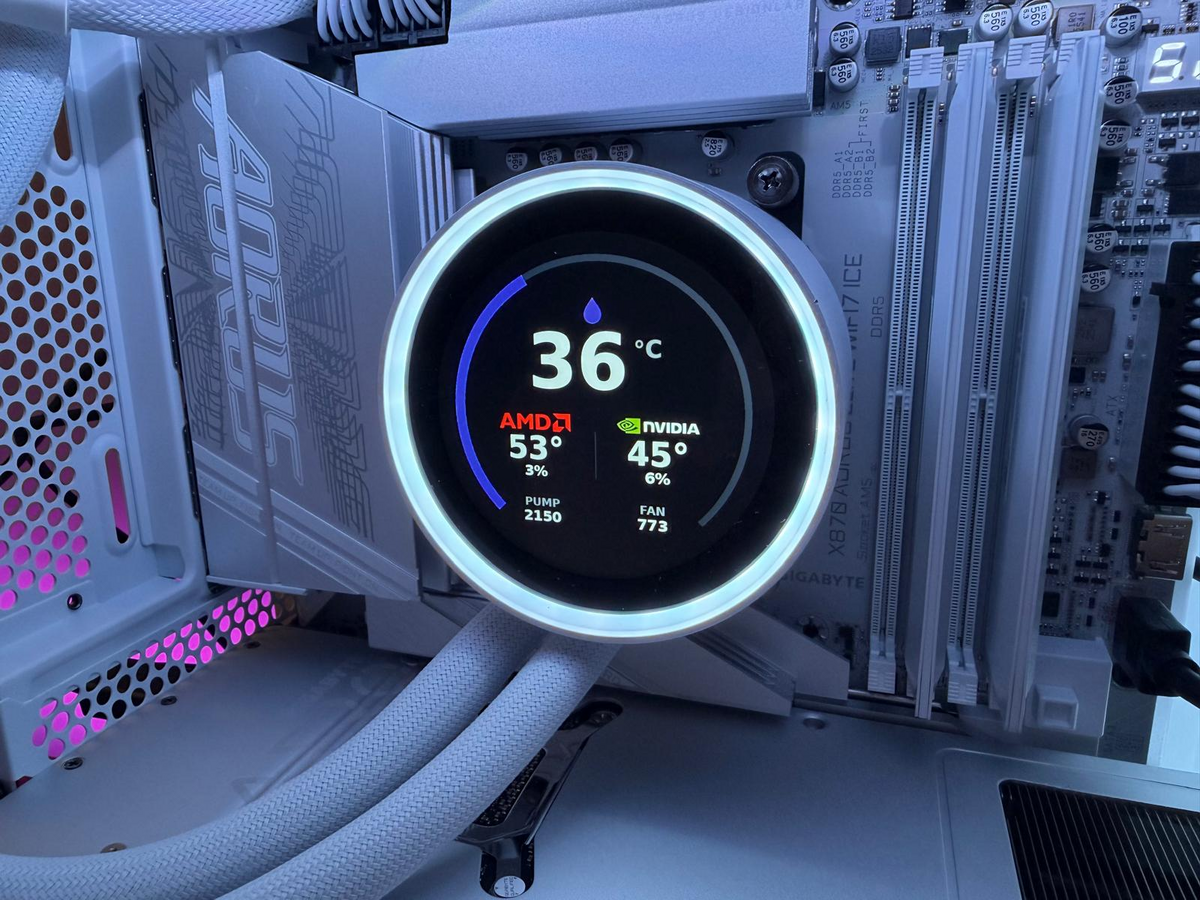
NZXT doesn't ship CAM for Linux, so a Kraken on a Linux box is a cooler with a blank screen and whatever curve it last remembered. OpenKraken is a native PyQt6 app on top of liquidctl: live gauges and graphs for the loop, pump and fan curves, live sensor screens, images and GIFs on the round LCD, and RGB lighting. I built it against a Kraken 2024 Elite RGB on Pop!_OS / COSMIC and Omarchy / Hyprland; it works with any KrakenZ3-class cooler liquidctl recognises.
Liquid-temperature curves are written into the cooler's own firmware, so they keep running after the app closes; CPU/GPU-temperature curves are driven by the app each tick with a firmware failsafe underneath. Lighting speaks a community-reverse-engineered protocol, since liquidctl has none for this generation — it's off by default and never touches your LEDs until you turn it on. Packaged as a signed APT repo for Debian/Ubuntu and a PKGBUILD for Arch. An independent project, not affiliated with or endorsed by NZXT.
Highlights
- Live dashboard — CPU/GPU/liquid temperature, pump and fan RPM, with 1–10 minute graphs
- Firmware curves — liquid-temp curves keep running with the app closed; presets or drag-to-edit
- LCD control — sensor screens with vendor badges, static images and animated GIFs, self-healing when the panel wedges
- RGB lighting — pump ring and RGB Core fans, solid colours and host-streamed effects, opt-in
- Runs everywhere — Wayland-native, tiles cleanly on Hyprland, tray icon in Omarchy's bar
- In-app updates — git pull,
.deborpacman, depending on how you installed it
Install
# Ubuntu / Pop!_OS / Debian — signed APT repository
$ curl -fsSL https://davidboulay.github.io/OpenKraken/openkraken.gpg | sudo tee /usr/share/keyrings/openkraken.gpg >/dev/null
$ echo "deb [signed-by=/usr/share/keyrings/openkraken.gpg] https://davidboulay.github.io/OpenKraken ./" | sudo tee /etc/apt/sources.list.d/openkraken.list
$ sudo apt update && sudo apt install openkraken

# Arch / Omarchy — build and install the package
$ git clone https://github.com/davidboulay/OpenKraken
$ cd OpenKraken/packaging/arch && ./build-pkg.sh --install
Both packages install the udev rule, so it runs without root. .deb files are also on the releases page.
More apps
 more
more
Clippy
Clipboard history in a strip of tiles
 more
more
Space Control
Hide the mail spaces you never use
 more
more
Lightspeed X-Series MCP
Ask Claude about your Lightspeed stores
 cosmic
CosmicShot
Capture, annotate, share — CleanShot-style
 cosmic
CosmicUpdate
Pending updates, right in the panel
 cosmic
TrueNAS Apps Watcher
Your NAS updates, from the desktop
 cosmic
Home Assistant Watcher
Home Assistant updates, in the panel
 cosmic
CosmicDNS
One-click DNS switching from the panel
omarchyVPN Switcher
One bar icon for every VPN you have
 omarchy
Maintainer Inbox
Issues and PRs waiting on you, in the bar
omarchyMulti-Monitor Workspaces
Workspaces 1–9 on every monitor
omarchyScreensaver Lock
Dismiss the screensaver, get the lock screen
omarchyWi-Fi Login Popup
Hotel and airport Wi-Fi sign-in, automatically
 omarchy
TrueNAS Apps Watcher for Omarchy
TrueNAS app updates in the Omarchy bar
 omarchy
Home Assistant Watcher for Omarchy
Home Assistant updates in the Omarchy bar